What Is a Proxy Setting? A Developer's Config Guide
September 15, 2026
What a Proxy Setting Actually Configures
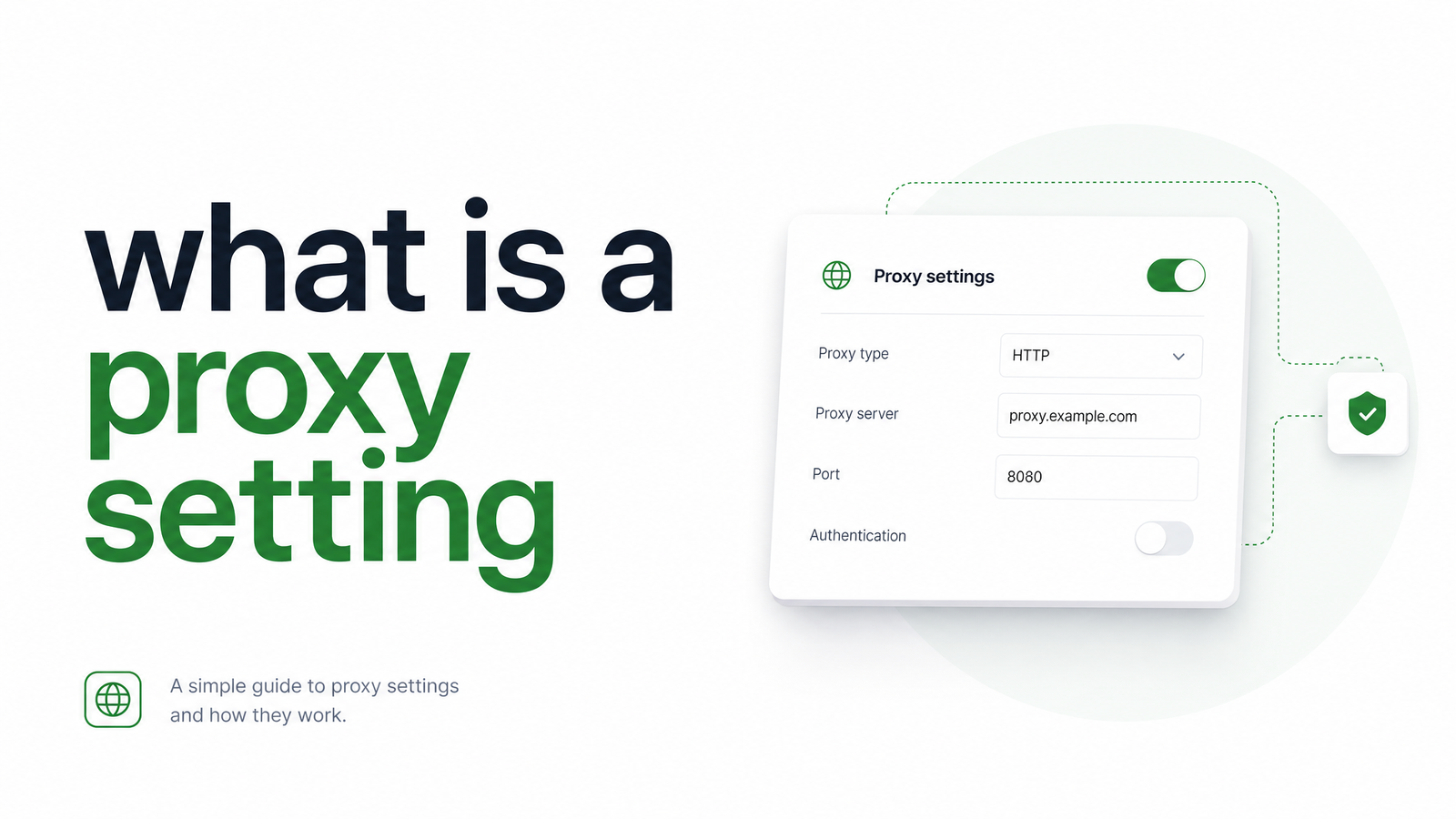
A proxy — the server that sits between a client and the destination it's talking to — is covered in depth in our developer's guide to proxies. A proxy setting is narrower: it's the configuration value that tells an OS, browser, or piece of code to route traffic through that server instead of connecting directly. Proxy settings explained plainly: they're addressing instructions, not the infrastructure itself. Get the address, port, or protocol wrong, and the proxy server itself is irrelevant — nothing will route through it.
Where Proxy Settings Live: OS, Browser, and Code
Proxy settings exist at three layers, and a lot of frustration comes from configuring the wrong one. System proxy settings live in OS network preferences (Windows Settings, macOS Network preferences, or /etc/environment on Linux) and affect most applications that respect system-level networking — but not all of them. Browser-level settings are next: a proxy setting for browser use can inherit from the OS or override it entirely, and Chromium-based browsers accept an explicit --proxy-server command-line flag that ignores system configuration altogether. The third layer is application or code-level: environment variables and client-library options that only affect the process reading them.
For automation and scraping, code-level configuration is usually the right layer, because it's explicit, scriptable, and doesn't depend on shared machine state other processes might also be reading. Knowing which layer your tool actually consults is the single most useful piece of proxy troubleshooting knowledge you can have.
The Fields Inside a Proxy Setting
Every proxy setting is built from the same handful of fields. The host (IP or hostname) and port identify where the proxy server is listening. The protocol — HTTP, HTTPS, or SOCKS5 — determines how the client talks to the proxy and what traffic it can carry; SOCKS5 proxy settings work at a lower level and can tunnel arbitrary TCP traffic, not just web requests, which is why some scraping tools default to it for reliability. Then there's authentication: many commercial proxies require a username and password, passed either embedded in the proxy URL (http://user:pass@host:port) or via a separate auth callback the client library exposes. Finally, bypass or no-proxy lists specify destinations that should skip the proxy entirely — internal hostnames, localhost, or specific domains.
A PAC file (Proxy Auto-Config) is a dynamic alternative to a static setting: a small JavaScript file that returns a proxy decision based on the requested URL, letting an organization route different traffic through different proxies without touching each machine's configuration. It's powerful in enterprise networks but adds indirection that's often unnecessary — and hard to debug — for a scraping pipeline that just needs one proxy per request.
Setting a Proxy for Headless Browsers and Scraping Code
The most common code-level approach is environment variables. Setting HTTP_PROXY and HTTPS_PROXY tells HTTP-aware libraries and many command-line tools to route matching traffic through the specified proxy, while NO_PROXY lists hosts that should bypass it — typically localhost, 127.0.0.1, and internal domains. This convention is respected by a huge share of the Node.js and Python ecosystem, but not universally, which is the first thing to check when traffic isn't routing correctly.
Headless browsers need different treatment. Proxy settings in Puppeteer and Playwright are usually passed as launch arguments rather than environment variables, since the browser process needs to know before it opens any connection. In Puppeteer, pass --proxy-server=http://host:port in the args array when launching Chromium. Playwright exposes a cleaner proxy object directly in its launch() options, accepting server, username, and password fields — handling authenticated proxy setups without manually crafting auth headers.
// Puppeteer
const browser = await puppeteer.launch({
  args: ['--proxy-server=http://proxy.example.com:8080']
});

// Playwright
const browser = await chromium.launch({
  proxy: { server: 'http://proxy.example.com:8080', username: 'user', password: 'pass' }
});
Contrast this with a managed rendering API, where the proxy is a single parameter in the request body — no launch flags, no per-instance browser configuration, no environment variable scoping. That pattern of collapsing browser configuration into one API field is the same one used for device emulation in a headless browser API, and it's worth understanding how REST API parameters generally carry this kind of configuration.
Common Proxy Setting Mistakes
A proxy setting not working is almost always one of a few recognizable failures. DNS leak issues happen when the proxy handles HTTP traffic but DNS resolution still happens locally, revealing the real destination (and sometimes the real client) to anyone watching the network — SOCKS5 configurations are especially prone to this if the client isn't told to resolve hostnames remotely. Protocol mismatches are another classic: pointing an HTTP-only client at a SOCKS5 endpoint, or vice versa, produces connection errors that look unrelated to the actual cause. Missing or malformed authentication is a third: credentials silently dropped (for example, because a library doesn't forward auth embedded in a URL) result in 407 errors easy to misdiagnose as the proxy being down. And perhaps the most common trap in automation is a headless browser instance that silently ignores OS-level or environment-variable settings because it was launched without the corresponding flag — the request goes out unproxied, and unless traffic is being logged, nobody notices.
None of these failure modes are exotic, but they multiply fast once you're managing proxies per script, per browser instance, or per machine, and testing rotation or fallback logic by hand across dozens of concurrent scraping jobs turns into its own maintenance project.
Frequently Asked Questions
What is a proxy setting on my computer?
It's the configuration in your OS network preferences that tells apps which proxy server to route traffic through, including host, port, and sometimes credentials. Most operating systems apply this system-wide by default, though individual applications can override it.
How do I find my current proxy settings?
On Windows, check Settings > Network & Internet > Proxy; on macOS, check System Settings > Network > your active connection > Proxies. On Linux, check environment variables like HTTP_PROXY or your desktop environment's network settings panel, since there's no single universal location.
What's the difference between a proxy setting and a VPN setting?
A proxy setting routes specific application traffic (often just HTTP/HTTPS) through an intermediary server at the layer you configure it in, while a VPN typically encrypts and reroutes all system traffic through a tunnel at the OS level. Proxies are usually lighter-weight and more granular; VPNs are broader and harder to apply selectively per request.
Do I need to configure proxy settings for web scraping?
Often yes, particularly at volume, since routing requests through rotating proxies helps avoid IP-based blocking. This typically happens at the code level — via environment variables or client-library options — rather than OS-wide settings, since scraping scripts need per-request or per-session control.
What is a PAC file in proxy settings?
A PAC (Proxy Auto-Config) file is a JavaScript file that dynamically decides which proxy, if any, a request should use based on the destination URL. It's common in enterprise networks needing different routing rules per domain, but adds debugging complexity usually unnecessary for scraping pipelines using a single static proxy.
How do I set a proxy in Puppeteer or Playwright?
In Puppeteer, pass a --proxy-server=host:port flag inside the args array when launching Chromium. In Playwright, use the built-in proxy option in launch(), which accepts server, username, and password fields directly, making authenticated proxies simpler to configure.
Managing proxy settings by hand across every machine, browser instance, and script gets brittle fast, especially once you're rotating credentials or scaling concurrent jobs. Browsevra abstracts that entirely into a single API parameter — check the docs to see it in practice, or the pricing page to compare it against maintaining your own proxy infrastructure. Learn more at browsevra.